

Welcome to the Page Engage Help Center!
Check out our tips, step-by-step tutorials, troubleshooting, and have all of your questions answered by our support team.
Provided by the Real Estate Agent Directory™ on Facebook
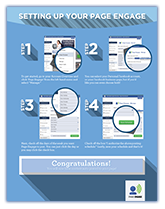
Download our start-to-finish Page Engage guide
Click the link below to get a start-to-finish guide on setting up and managing your Page Engage service!

Schedule Your Posts for at Least Three Days Per Week
Be sure to schedule your posts for at least 3 days per week. Thursday, Friday and Saturdays are the optimal days to get the most engagement.

Be Sure to Check Your Posts Periodically for Activity
Make sure you keep up with you page activity and respond to fan comments on your posts. Build and nurture relationships by creating conversations.

Supplement your Page with Local Content
Adding posts about local events, attractions and activities in your area help make your page a destination and resource for local knowledge.
Instructions
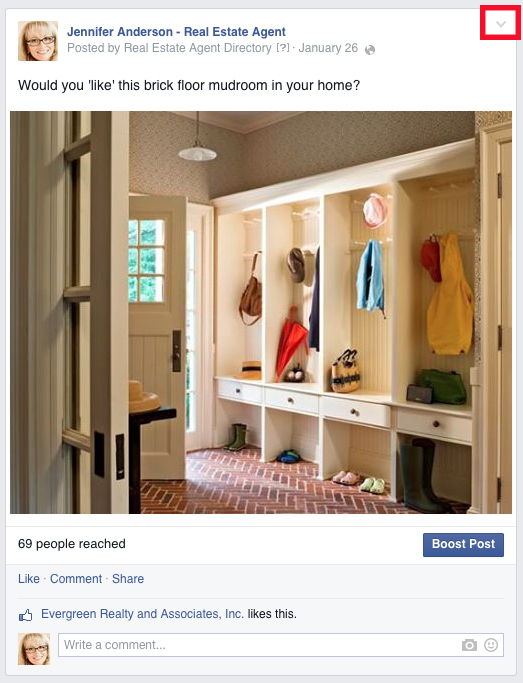
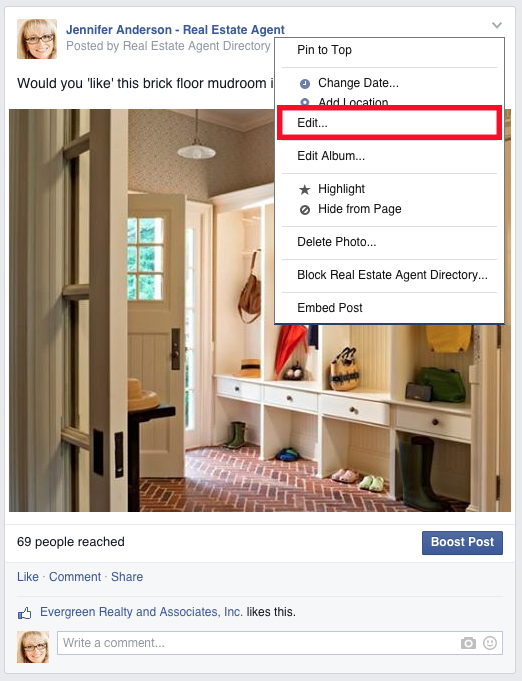
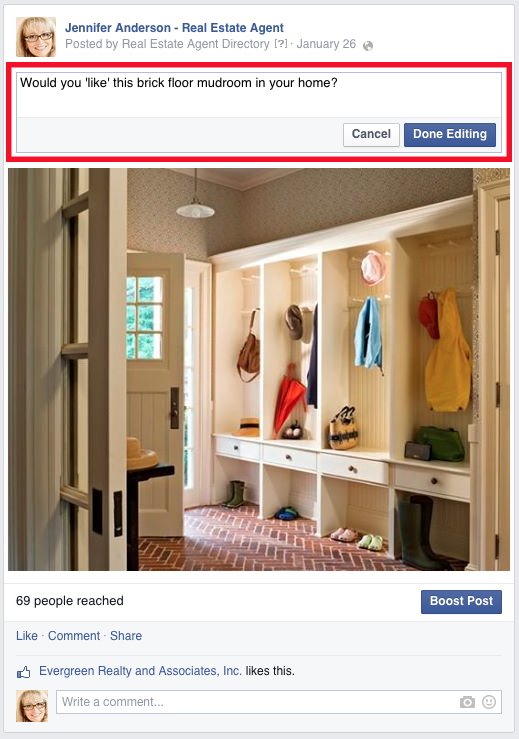
How do I edit the text for Page Engage posts on my wall?
How do I adjust my Page Engage posting schedule?
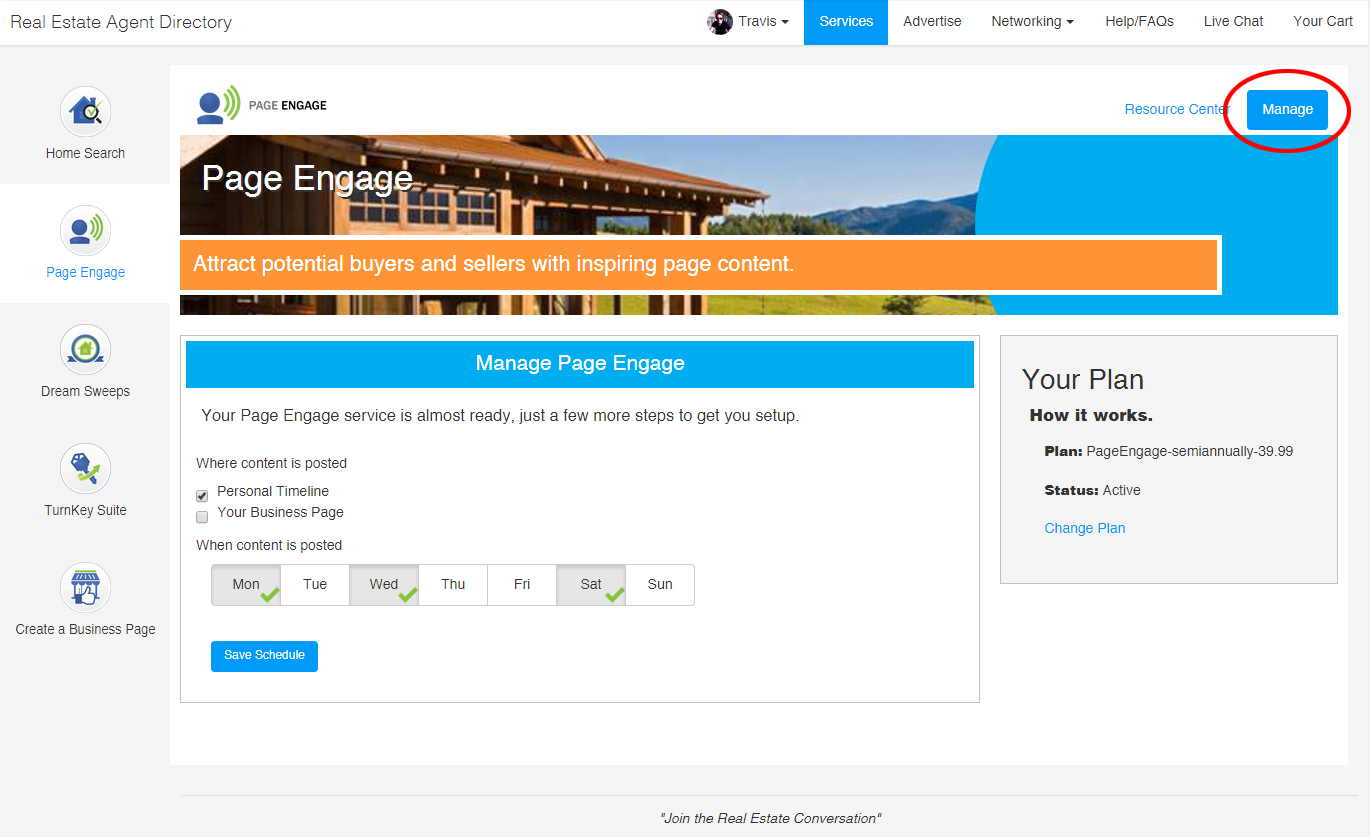
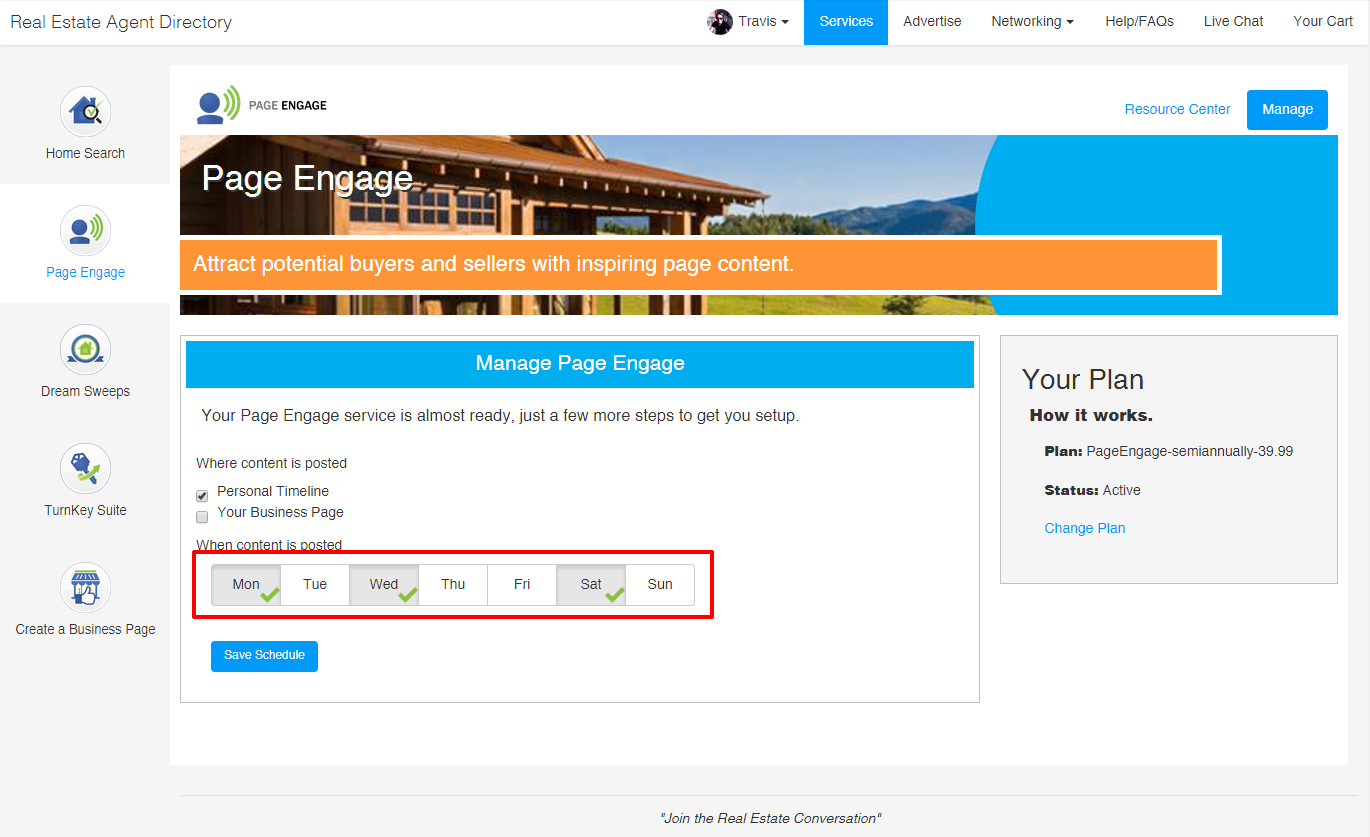
How do I edit settings to post to personal page and business page or business page only?
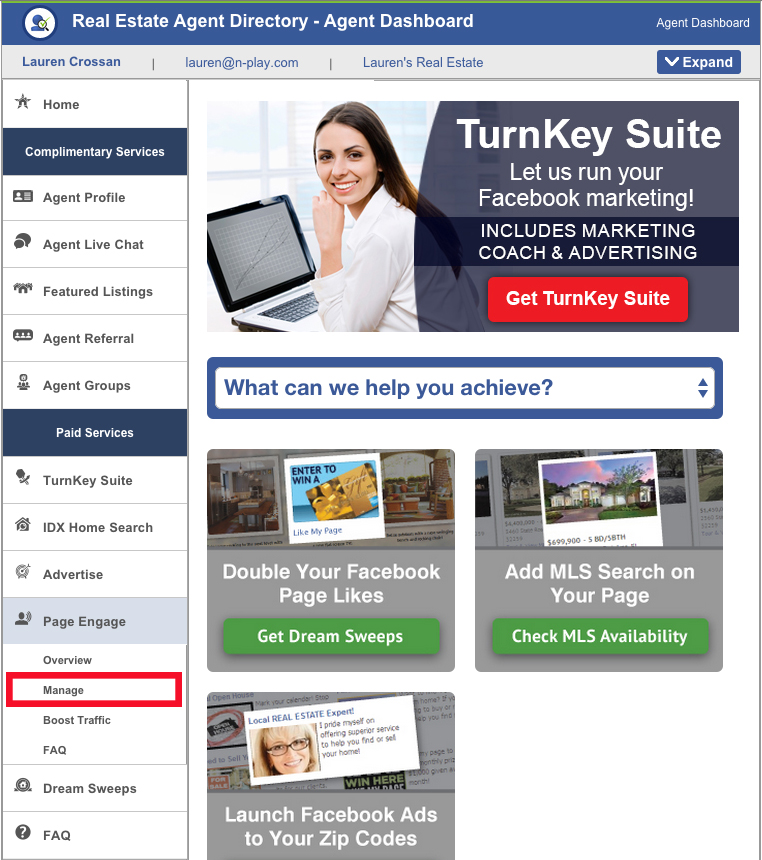
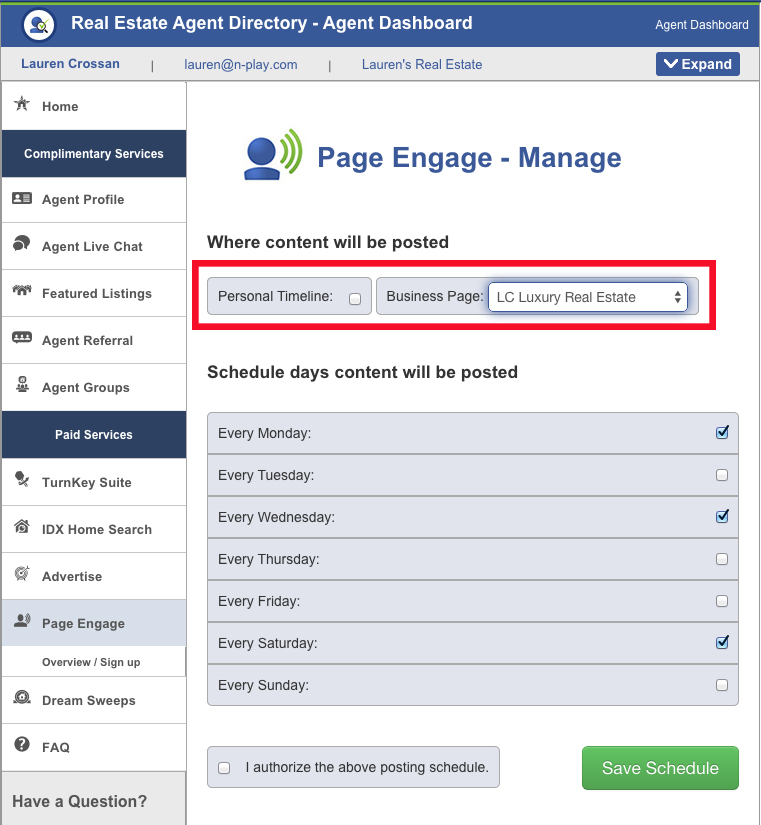
Click on Page Engage Overview and click on ‘Manage,’ then uncheck or check the ‘Personal Timeline’ box. From the ‘Business Page’ drop down menu, select the business page you want to Page Engage to post to.
How can I change which page my postings are going to?
Can I view and edit my content before it posts?
FAQs
Instructions
Why is Page Engage not posting to my page?
If you just signed up for Page Engage:
You’ll see your first post on your page 24 hours after you sign up.
If you were receiving Page Engage posts, and they stopped posting:
If you recently changed your Facebook password or have logged in from a new location, this may have reset the app permissions. Click here to update your permissions:https://apps.facebook.com/myagentprofile/AgentAccountOverview.aspx
Do you post local content?
Content is not location specific; instead we use highly engaging images and articles from around the web to get you more likes, shares, comments and increase your viral reach.
Does Page Engage post my featured listings?
At this time, Page Engage does not post your featured listings, but we hope to have this setting available in the future.
Who selects the content and where do you find it?
Our social media experts filter and save images and articles from various sources around the web. A majority of our content is t is not specific to your location, brokerage, or area of expertise. This makes it a great fit for just about any agent!
How can I change the time of day my posts appear on my page?
Our system is optimized to post your content at set times each day and cannot be altered for individual pages.
Have Questions?
Phone: 904-800-1811
Email: [email protected]
Available Monday-Friday 9AM-5PM ET
4887 Belfort Road, Suite 400
Jacksonville, FL 32256